Videos are now one of the most watched types of content on the internet, and more than 500 hours of video content are uploaded to YouTube every minute, and more than 2 billion people log in to the service each month all over the world. There is a lot of information in video form, webinars, online courses, and podcasts, which are time-consuming to watch or listen to long videos. That is why the ability to transcribe video and convert video to text efficiently has become fundamental to creators, businesses and educators.
You can easily create searchable records, subtitles or summaries by transcribing speech into written form so that one can access and reuse the content more easily. As an illustration case, it has been established that videos that contain transcripts experience a maximum of 16 percent increment in viewer engagement. Transcribing video with the help of ai video transcription will help you use less time and preserve high accuracy and usability.
Part 1: Learning the Advantages of Transcribe Video to Text Transcription
Video transcribing is no longer an option, it is an essential instrument to creators, enterprises and educators. You can simplify video contents by transcribing verbal content and making it easier to navigate, refer to and reuse. It could be a long webinar, an online course, or a recorded meeting but with a written transcript, it is easy to find important aspects without having to watch the whole video.
1. More Rapid Information Retrieval
With the help of video transcription tools, you can find important moments in long videos and meetings, webinars, or online classes very quickly. Text that is searchable helps to save a lot of time to both individuals and teams by eliminating the necessity to rewatch entire videos. It also helps to work in a team where team members can immediately access certain parts of a video without disrupting the workflows.
2. Repurposing and Reuse of Content
Video material can be converted into articles, blog posts or social media snippets using transcripts. It is possible to produce correct subtitles or captions to enhance the accessibility and SEO and make your videos more findable on the Internet. Also, the reports, newsletters, or even learning materials can be based on the summaries generated on the basis of transcripts, which adds even more value to your video content.
3. Improved Accessibility
Video transcription will facilitate inclusivity because people with hearing impairments can now access the content. Combined with ai video transcription systems, transcripts may be used to serve several languages and translation to reach a larger audience. They also make it easier to understand among non-native speakers so that more people can enjoy your material.
4. Improved Workflow and Productivity
Having a transcript, the time spent in writing notes by hand during meetings or lectures is significantly minimized. Transcripts are a lasting, editable document that can be referred to, archived or reviewed of content. They can also enable the sharing of knowledge between teams or departments to ensure that all of them are in tune and can utilize the available video resources to a better advantage.
Part 2: The Basics of AI Transcribe Video Transcription
Current AI systems of ai video transcription apply the latest speech recognition and natural language processing (NLP) technology to automatically transcribe audio and convert it into written text. Such systems enable creators and professionals to transcribe video effectively, which results in readable content without typing manually. As an example, you may turn video into text of webinars, podcasts, or online courses in minutes and not hours, and save much time.
Part 3: The Most Important Factors that Influence Accuracy
Sound quality
It is a significant enhancement to good recording to transcribe video to text properly. Poor audio, e.g. low volume, echo, distortion, etc. may lead to missed words or errors and it is necessary to use a good microphone and reduce background noise.
Number of Speakers
Multiple overlapping voices or rapid conversation may decrease the accuracy of transcription. Artificial intelligence can be mistaken with a dialogue, and applications that have a speaker recognition option can help in this situation.
Background Noise
Music, ambient noise, or noise in the audience increases the difficulty in transcribing video links to text processes. It is better to suppress the background noise or use noise filters.
Multi-Language Support
There are AI services that are able to transcribe video to text AI in several languages which is useful with multilingual or international content. The tools that have good language recognition and accent management have greater accuracy among different speakers.
Part 4: Comparison with Human Transcription
Human transcription is highly precise but expensive and time consuming. Conversely, AI applications can transcript video fast, transcribe youtube video, or even transcribe video to text free (when using short videos) and give searchable transcripts and allow content to be repurposed. Transcription can also be done with a video with only a link and it is even easier to store and share content effectively with AI.
Part 5: Applications of Transcribing Video
The following are just a few examples of how you may be required to transcribe video to create content, use it professionally, or learn.
YouTube Videos
AI-based tools will automatically transcribe youtube video content to provide correct subtitles, which enhances SEO and viewer interaction. Highlights, quotes, or significant moments can also be extracted with the assistance of transcripts to be used in social media and may be used as a source of blog posts, summaries, or even newsletters.
Meetings or Courses
Meeting videos, webinars, or online courses can be transcribed by businesses and educators to get searchable notes or summaries. This enables the teams or students to refresh up on information without having to replay lengthy recordings.
Podcasts and Interviews
Interviewers and podcasters are able to convert video to text or audio into written content, and it is easy to reuse the content in the form of an article or as an archive. AI transcript makes the content readable, editable and referenceable.
Legal or Research Videos
Using transcribe video links to text in legal or research settings to create searchable records to use in analysis, compliance, or documentation. Transcripts that are accurate save time of manual review and enhance efficiency in workflow.
Lesson
It is the tool that you use that matters depending on your situation. There are platforms with quick, automatic transcribe video to text free options, and those with more advanced options of professional interview, multi-language, or extremely accurate transcribe video to text AI. Knowledge of your workflow makes you choose the most effective tool.
Part 6: Comparison Table – Top AI Tools to Transcribe Video
| Tool Name | Accuracy (%) | Languages Supported | Free / Paid | Export Formats | Best Use Case |
| Clipto.AI | ~99% (clear audio) | ~99+ languages | Free Trial / Paid | TXT, SRT, DOCX, more | Content creators, large videos |
| HappyScribe | ~98% AI (higher with human) | 120+ languages | Free trial / Paid | DOCX, TXT, SRT, VTT | Professional transcription, multi‑language |
| ElevenLabs | ~90–95%+ | 20+ languages | Free trial / Paid | TXT, SRT | Voice‑intensive content, subtitling |
| TurboScribe | ~92–96% | Many languages | Paid | TXT, SRT, DOCX, PDF | Long recordings, bulk transcription |
| Any2Text | ~85–90% | Basic languages | Free / Paid | TXT, maybe others | Quick, simple transcribe video to text free tasks |
Part 7: Introduction to the Top AI Video Transcription Tools
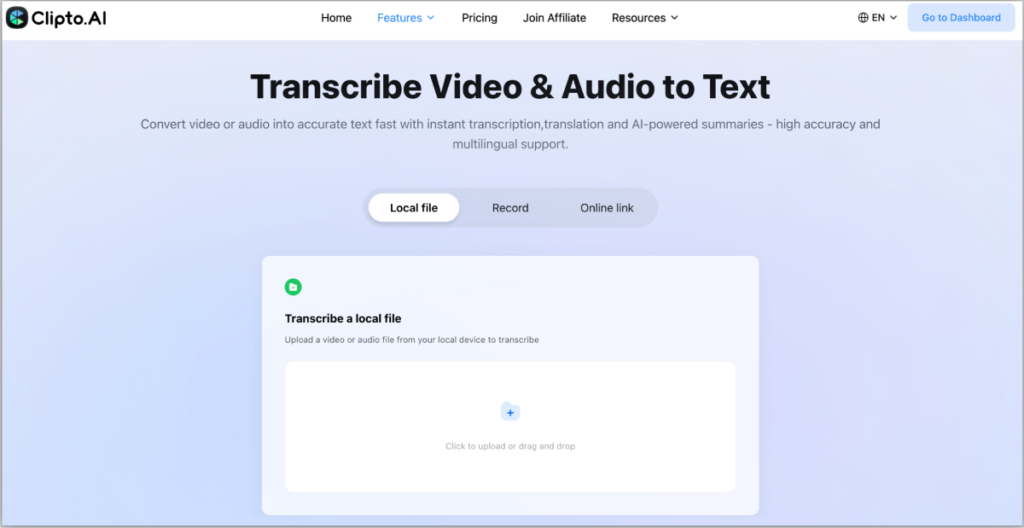
1. Clipto.AI
Functionality: AI transcription, multi-language, transcribe video link to text, transcribe youtube video, multiple export (TXT, SRT, DOCX), and advanced ai video transcription.
Pros: Fast, very accurate, can work with long videos, can work with multi-language content for efficient video transcription.
Disadvantages: Free trial is scarce, one has to be subscribed to access it.
Best: Digital content creators, small groups, and anyone who requires to quickly and efficiently transcribe video or convert video to text.
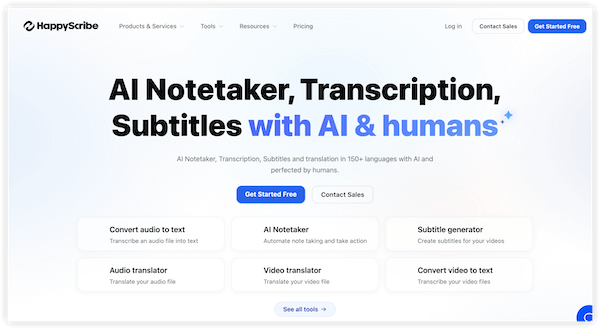
2. HappyScribe
Functions: AI + human proofreading, subtitles and captures,transcribe youtube video, multiple languages, time-stamped transcripts, and professional video transcription workflows.
Advantages: High-quality, highly precise, professional transcripts, multi-language support for reliable ai video transcription.
Disadvantages: Slows down with very long videos, more features are available with a paid plan.
Ideal Use: Professional interviews, meetings, courses and multi language projects using transcribe video to text AI.
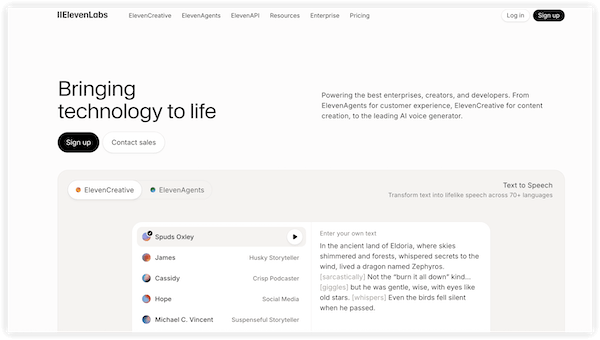
3. ElevenLabs
Features: AI transcription with focus on voice recognition,transcribe video to text AI, and export to TXT and SRT, suitable forvideo transcription AI scenarios.
Advantages: Well-controlled voice, suitable in the case of podcasts and voice-intensive materials.
Cons: Few export opportunities, less language selection as compared to other tools.
Best: Podcasts, content that is based on narration and videos that have complicated voice patterns, especially for users learning how to transcribe a video.
Part 8: How to Transcribe Video to Text
Transcribing video to text is easier than ever, but a useful workflow should do more than just turn speech into words. The real goal is to make video content searchable, editable, and reusable. That is where Clipto.AI stands out. Instead of working as a basic video-to-text converter, it helps users move from raw audio or video to transcripts, summaries, subtitles, and structured content they can actually use.
Using Clipto.AI as an example, here is how the workflow typically works.
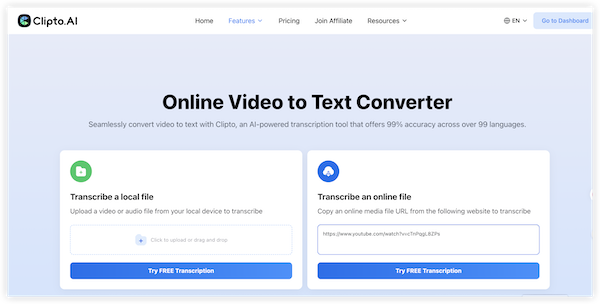
Step 1. Upload a File or Paste a Link
Start by adding your content to Clipto.AI. You can upload a local audio or video file, or paste a supported link if the content is already online. This is useful for YouTube videos, interviews, recorded meetings, lectures, and social content. Because Clipto.AI supports multiple input sources, the workflow is more flexible than tools that only accept file uploads. It is also a practical way to transcribe video links to text without adding extra download steps first.
Step 2. Generate the Transcript with Timestamps and Speaker Labels
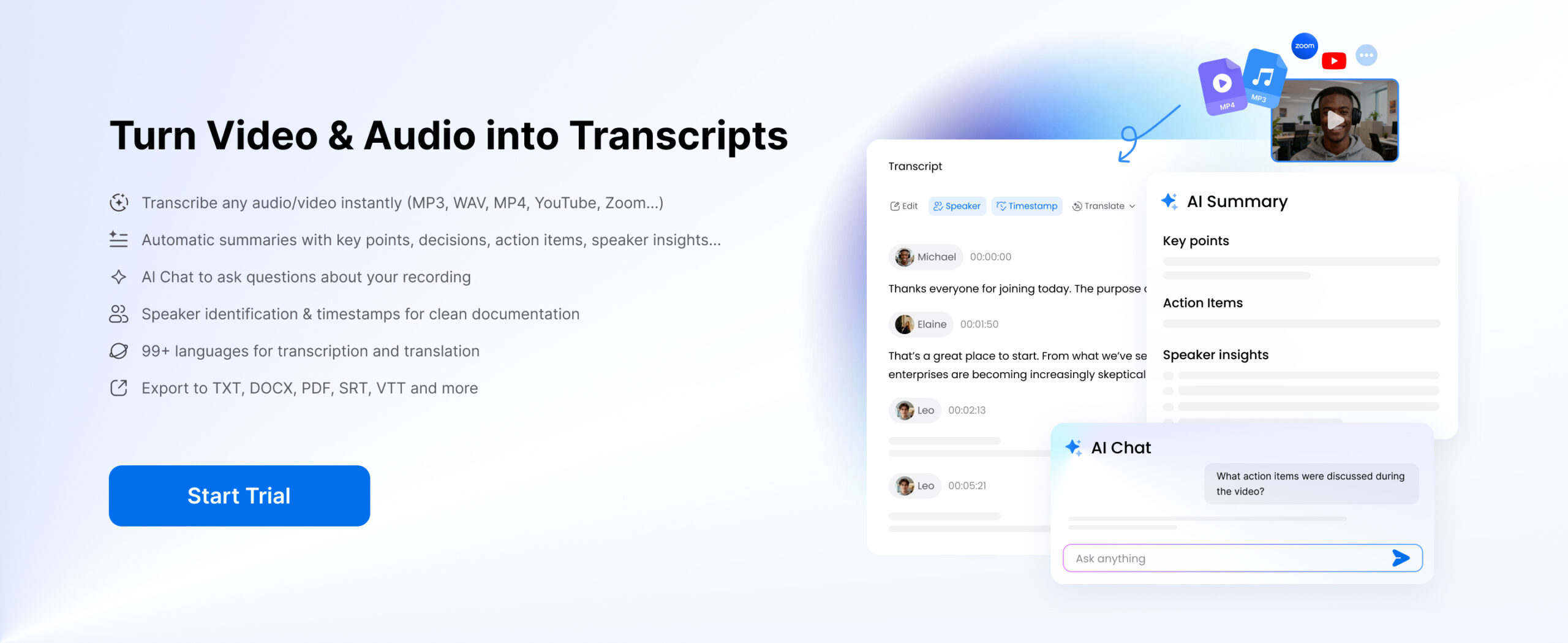
After the transcript is ready, review it using Clipto.AI’s built-in structure. Timestamps help you jump to exact parts of the recording, while speaker identification makes multi-person conversations easier to follow. This is especially useful for meetings, interviews and podcasts. A quick review at this stage helps fix names, technical terms or unclear sections.
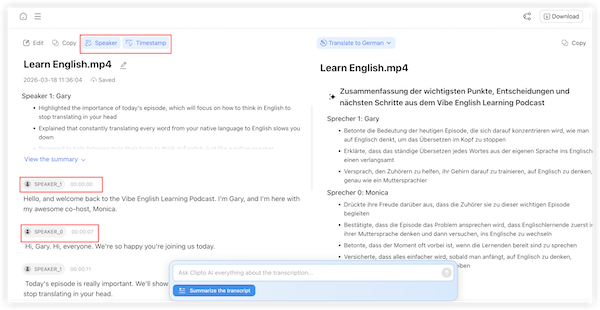
Once the content is added, Clipto.AI automatically converts video into text. This is the main transcription stage, where AI creates a written transcript in minutes with support for 99+ languages and multilingual translation. The platform is suitable for both short clips and long-form recordings, making it practical for podcasts, meetings, classes, and interviews. 99% first-draft accuracy also means less manual correction later. For users looking to transcribe video to text AI, this is the step where automation saves the most time.
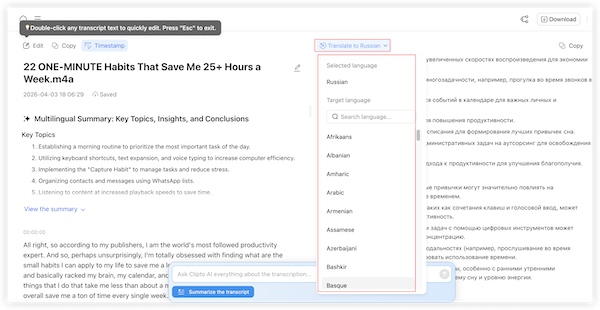
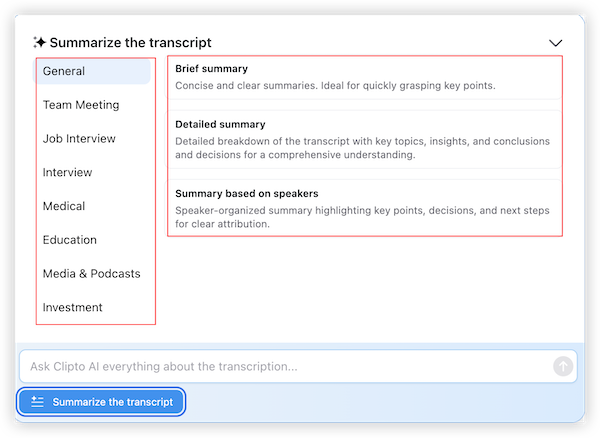
Step 3. Summarize the Key Points and Use AI Chat to Find What Matters Faster
Long transcripts are useful, but not always efficient to read in full. With AI Summary, Clipto.AI can condense the transcript into key ideas and takeaways. It also offers different summary styles for use cases such as meetings, interviews, education, media, and podcasts, making the output more practical for different users. This adds more value than basic ai video transcription alone. At this point, the transcript becomes more than a written record. It can be reused for study notes, internal documentation, blog drafting, multilingual content, or knowledge capture. This is also where users exploring how to transcribe a video for practical reuse can get more value from the output.
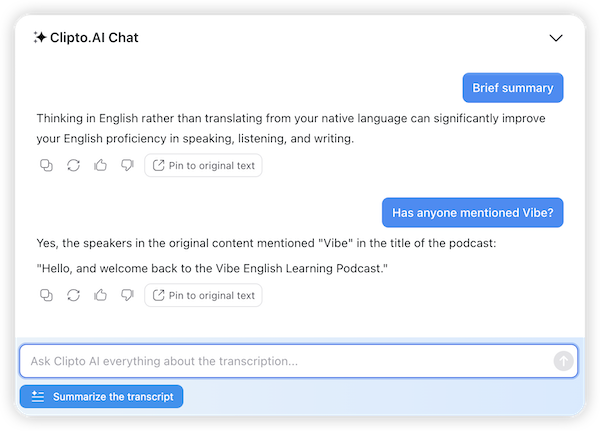
Clipto.AI’s AI Chat allows users to interact with the transcript instead of only reading it. You can ask for decisions from a meeting, highlights from an interview, or the main points from a lecture. This makes it easier to extract useful information quickly and turn long recordings into something actionable. For users who want to convert video to text and then go beyond raw output, this is one of the most useful parts of the workflow.
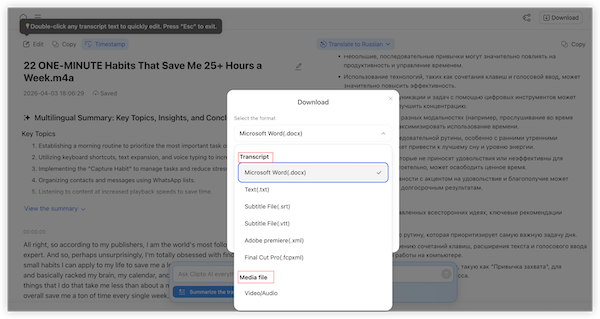
Step 4. Export as Text or Subtitles
Once everything is reviewed, export the result in the format you need. Clipto.AI supports editable text outputs and subtitle files such as SRT and VTT. This makes it easier to use the transcript for captions, notes, articles, documentation, or content creation. Whether you want to transcribe youtube video, create subtitles, or prepare written notes, export flexibility makes the result more usable.
Final Thought
With Clipto.AI, the process is not just upload and transcribe. It is a complete workflow: add content, generate accurate text, review it with timestamps and speaker labels, translate it if needed, summarize the main ideas, extract answers with AI Chat, and export it for real use. That is what makes it more valuable than a basic transcription tool, especially for users looking to transcribe video to text free options that still offer practical features.
Conclusion
Video transcription that is performed using AI tools has become a vital habit among creators, professionals, and even educators. Content repurposing to searchable archives is time-saving and more efficient in workflow. Clipto.AI is the most complete solution among such popular ones as Clipto.AI, HappyScribe, ElevenLabs. It is fast, with a high precision, multi-language, and the capability to transcribe video link to text connectivity in sources such as YouTube, which is why it suits a large group of users.
To any person who wants to simplify the process of managing video content and enhance its accessibility as well as optimize the benefit of their recordings, it is essential to select the appropriate AI tool. Get started with Clipto.AI today and have a productive, error-free transcribe video experience and realize how your video content can be easily turned into a useful text resource.
FAQs
1. How do I transcribe a YouTube video to text?
You can transcribe youtube video by using built-in captions or AI tools that support transcribing video links to text directly from a YouTube URL. If you want cleaner formatting, better punctuation, and editable output, transcribing video to text AI tools is usually a better choice than basic caption copying.
2. How accurate is video transcription AI?
Video transcription AI can often reach 90%+ accuracy, but the final result depends on audio quality, accents, background noise, and the number of speakers. In most cases, stronger ai video transcription tools perform better on clear recordings and require less manual editing afterward.
3. Can I transcribe video from a link?
Yes, many platforms let you transcribe video links to text by simply pasting a URL. This is one of the easiest ways to convert video to text without downloading the file first, especially for YouTube videos, online lectures, webinars, and interviews.
4. What formats can I export after video transcription?
Most video transcription tools support export formats such as TXT, DOCX, PDF, SRT, and sometimes VTT. This makes it easier to edit the text, share it with others, save documentation, or turn the result into subtitles after you transcribe video.
5. How do I choose the right tool to transcribe video?
To transcribe video effectively, choose a tool based on your use case.Transcribing video to text free tools may be enough for short and simple clips, while more advanced transcribe video to text AI platforms are better for long recordings, multilingual content, speaker identification, and professional workflows.
6. How to transcribe a video for content creation?
If you are wondering how to transcribe a video for content creation, the best approach is to use AI to generate the transcript first, then edit and repurpose it into blogs, summaries, subtitles, newsletters, or social posts. This is one of the most practical ways to convert video to text and turn spoken content into reusable written assets.